
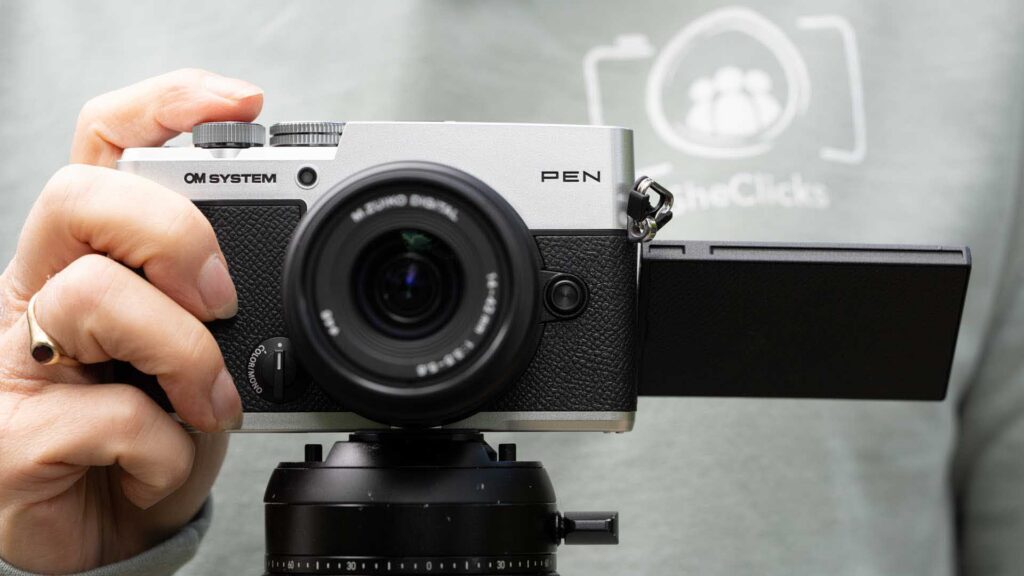
The OM System Pen brings the Pen concept back with a camera that feels designed to be carried rather than left at home. Its compact rangefinder styling, metal body, electronic viewfinder and dustproof and splashproof construction make it an appealing everyday camera, while the Colour and Monochrome Profile Control and CP button put some of OM System’s more creative features within easy reach.
As a female photographer, I particularly like the balance the OM System Pen strikes between being small enough to carry all day and giving me proper photographic controls. The 20.37MP sensor, 5-axis image stabilisation and 121-point phase detection focusing system also mean this isn’t just about looks. So far, the PEN has produced attractive Jpegs and its autofocusing has proved capable with people and a surprisingly broad range of animals.
There are frustrations. The power switch is far too easy to push straight past stills and into video mode and I miss the OM-3’s ability to switch rapidly between a favourite colour look and a monochrome one. The PEN also lacks the OM-3’s 1 and 2 switch. Nevertheless, the PEN is enjoyable to shoot with and its controls encourage you to experiment with how your images look before you press the shutter button.
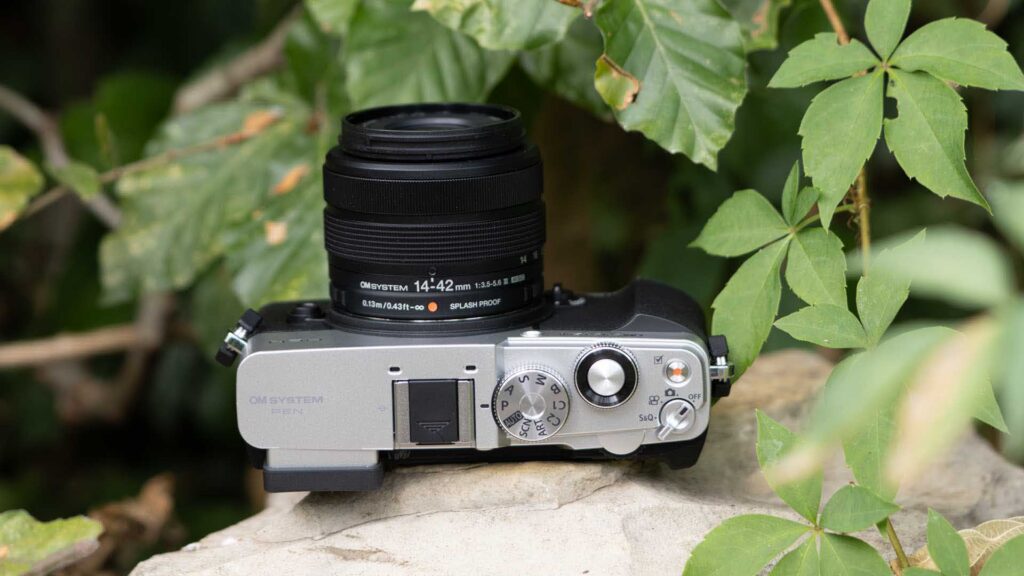
The OM System Pen is a 20.37MP Micro Four Thirds interchangeable lens camera designed for everyday, travel and creative photography. It is the first Pen series camera to carry the OM System name and follows a line that began with the original Pen film camera in 1959. OM System has given the new model traditional rangefinder styling, an electronic viewfinder and, for the first time in a Pen camera, an IPX1-rated splashproof and dustproof design when it is used with a suitably weather-resistant lens.
While its design is different from that of the OM System OM-3, there are clear connections between the two cameras. Both put a strong emphasis on creating the look of your images in-camera, with dedicated controls for colour profiles and computational photography. However, the Pen is smaller, lighter and less expensive and its internal technology is closer to the OM-5 II than the OM-3.
According to OM System, the Pen uses the same sensor as the OM-5 II rather than the stacked sensor found in the OM-3. It also has the TruePic IX processor. At 393g, it is an attractive proposition if you want an interchangeable lens camera that you can carry routinely rather than something you need to make a conscious decision to take out. The body is metal.
That everyday emphasis makes sense for SheClicks photographers. There are plenty of occasions when I want a capable camera with me, but I don’t necessarily want to carry a large camera bag or have a substantial body hanging from my shoulder. The Pen feels much more suited to being dropped into a modest bag with a small lens attached and taken along almost regardless of what else I’m doing.
The OM System Pen is due to go on sale in late September or early October 2026 in a choice of silver or black. Its suggested retail price is £849.99 body only.
There will also be a kit containing the silver or black Pen and the new M.Zuiko Digital 14-42mm F3.5-5.6 III for £949.99. That’s attractively under £1,000.
The M.Zuiko Digital 14-42mm F3.5-5.6 III costs £349 when bought separately. It is a compact retracting zoom with an effective focal length range of 28-84mm and a click style mechanism that means there is no separate release switch to press when collapsing it. It is constructed from eight elements in seven groups, has an effective maximum magnification of 0.53x and supports Focus Stacking. It is also IPX1 rated for splash resistance and has a dustproof design, making it a natural partner for the weather-resistant Pen.
OM System has also introduced a new BLS-7 1,285mAh lithium-ion battery for the camera. It is rated for approximately 410 shots per charge and can be charged in the camera via USB Type-C. A BCS-7 battery charger will be available separately for £59 and can charge the battery in around 90 minutes when it is used with the appropriate F-7AC adapter.
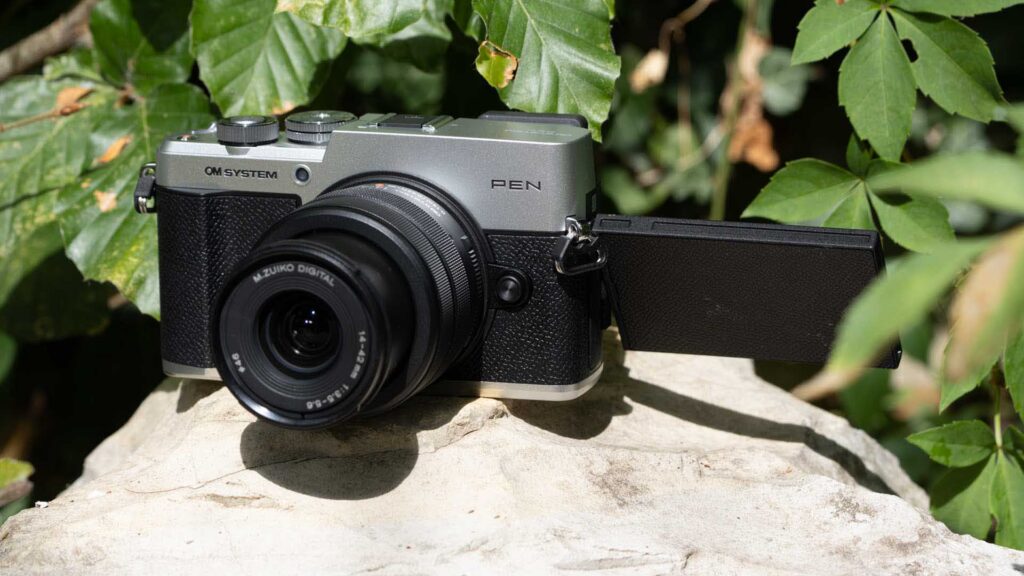
The OM System Pen has a 20.37-million-effective-pixel Live MOS sensor paired with the TruePic IX processing engine. This is quite an important distinction from the OM-3, which uses a newer stacked sensor and TruePic X processor. The Pen is positioned further down the range, but its specification still looks very capable for everyday, travel, street, family and general photography.
There is 5-axis in-body stabilisation that works with any compatible Micro Four Thirds lens. OM System rates the system at up to 5.5 stops of compensation towards the centre of the image and 4.5 stops towards the edges. That is useful with the type of small, relatively modest aperture zoom lens that many photographers are likely to use on the Pen because it gives more scope to handhold the camera as the light level falls.
The Pen also has 121 all-cross-type on-chip phase detection AF (autofocus) points. There is AI (artificial intelligence) based subject detection for people and animals, with cats and dogs officially listed, plus Starry Sky AF for photographing the night sky. Pro Capture mode can record at up to 30fps and save up to 12 frames from before the shutter button is pressed fully.
There are also 24 Scene modes spread across six themes and 16 Art Filters. These are the sort of features that can become buried in an extensive camera menu, which is why I like OM System’s effort to bring its creative tools closer to the surface.
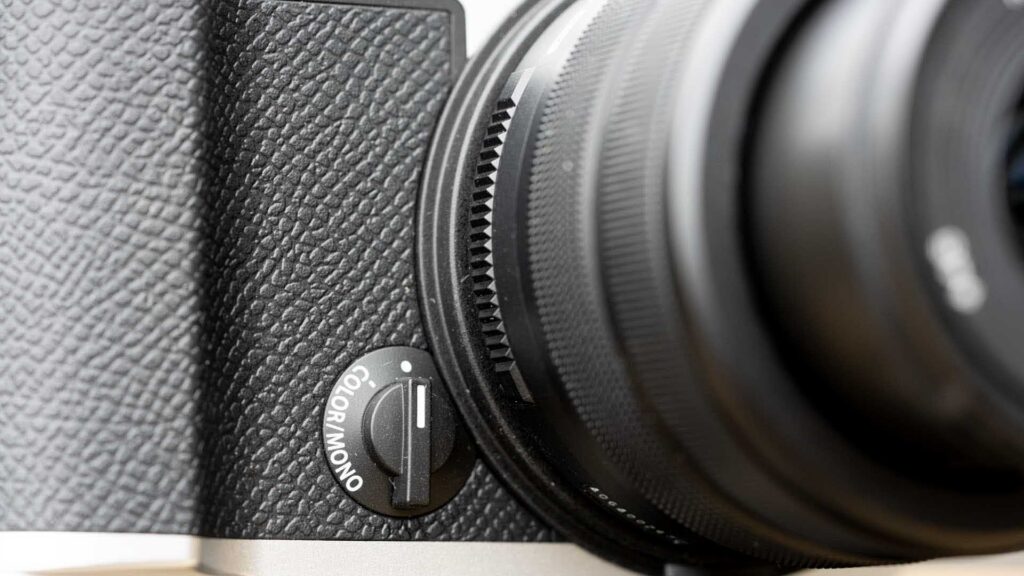
One of the most significant controls on the Pen is the Profile Control dial on the front. It performs a similar role to the colour profile control on the OM-3, but the implementation is simpler. Whereas the OM-3’s dial has dedicated Mono, Color, Art and CRT positions, the Pen essentially groups colour and monochrome together in one position and uses the alternative, marked with a dot rather than a name, for the conventional Picture Modes and Art Filters.
With the Colour and Monochrome setting selected, there are four monochrome options: Standard, High Contrast, Infrared and Classic Low Contrast. The colour section gives Natural, Chrome Film Rich, Chrome Film Vivid and Chrome Film Soft. I think it’s a shame that colour and monochrome have been combined because one of the things I particularly like about the OM-3 is being able to move immediately from my preferred colour treatment to my favourite black-and-white look. With the Pen there is an extra step involved.
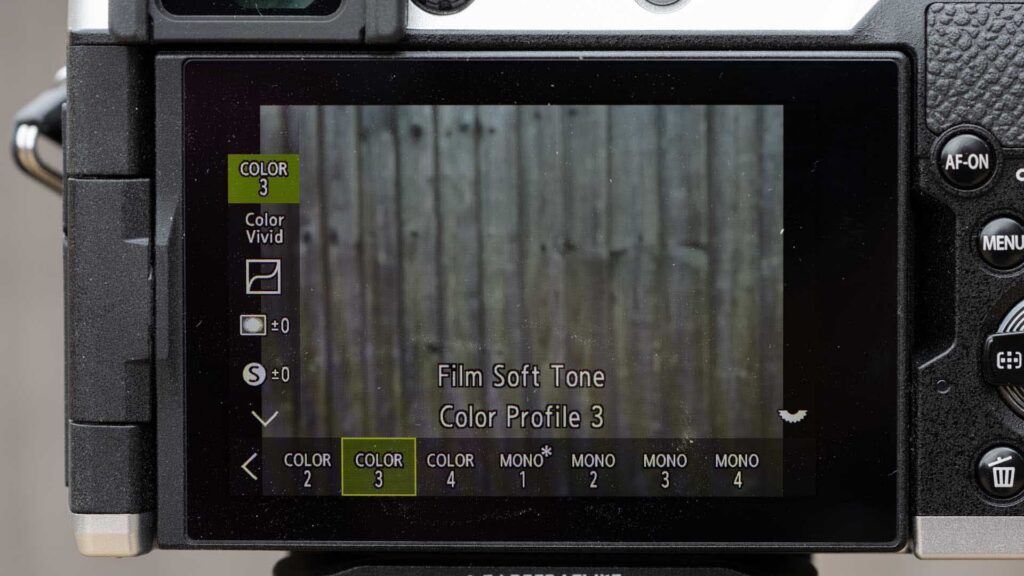
There is still plenty of control over the appearance of the images from the Pen though. OM System allows the saturation of 12 colours to be adjusted across 11 levels, with additional control over highlights, shadows and shading. The monochrome profiles allow adjustment of the colour filter effect, highlight and shadow response, shading, grain and tone.
Colour Creator is available too. In colour mode it presents a colour wheel for shifting the hue along with a saturation control. I tend to use it to pull the saturation down a little and add some warmth because that suits the subdued, earthy tones I often like in my images. Pressing and holding the OK button returns the settings to their defaults.
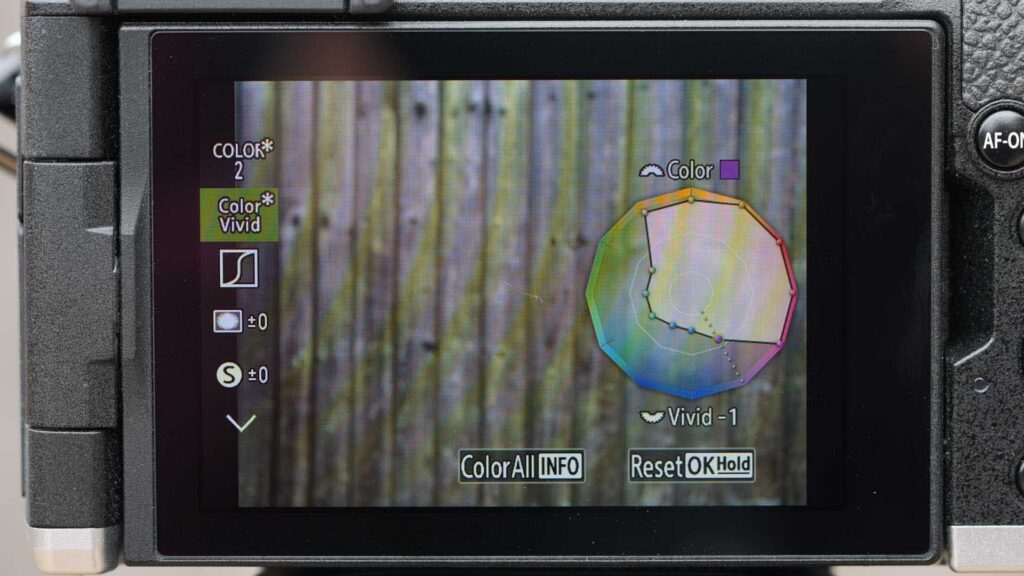
When you are working in monochrome, the Colour Creator interface switches purpose and lets you select the filter colour and adjust the strength of its effect. It is a good way to understand how coloured filters influence black-and-white photography because you can see the result before taking the picture.
Set the Profile Control dial to its unnamed position and you get the eight Picture Modes, i-Enhance, Vivid, Natural, Muted, Portrait, Monochrome, Custom and Underwater, as well as OM System’s long list of Art Filters. Consequently, although the Pen’s front control is simplified compared with the OM-3’s, most of the creative options are still available.
OM System is also introducing a Profile Library within its OM Image Share app. The updated app can read the colour, tone and other profile settings from an image stored on your phone, then write a preferred profile back to the camera’s preset slots. That opens up the possibility of sharing looks and recipes between photographers, which could be particularly enjoyable within the SheClicks community.
Another important feature is the CP button. CP stands for computational photography and this brings several functions that might otherwise be buried in the menu within quick reach.
On the camera, pressing the CP button while rotating the front dial lets you move between the available options. Once one has been selected, pressing the button switches the feature on or off. A long press opens the menu settings for the selected feature.
OM System’s official list includes Tripod High Res Shot, Handheld High Res Shot, Live ND (neutral density) from ND2 to ND16, Focus Stacking, HDR (high dynamic range) 1 and 2 and Multiple Exposure.
I particularly like this approach because these are genuinely useful features, but on earlier Olympus and OM System cameras it’s possible to own the camera for months without remembering where some of them live in the menu.
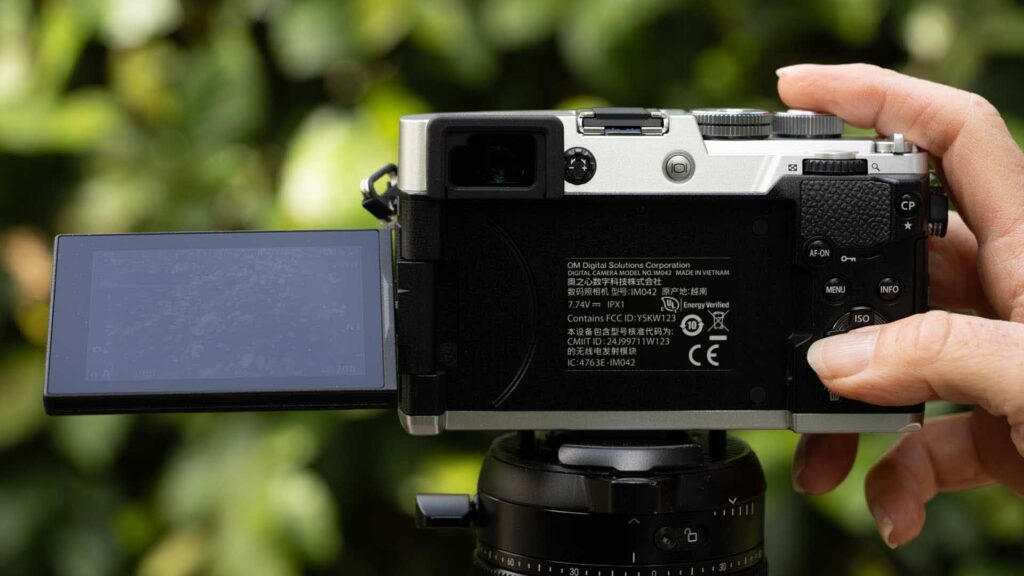
I still think OM System should add Live Composite to the CP selection. Live Composite is one of the company’s more interesting features and is especially useful for night photography and light painting. It feels like a natural fit alongside the other computational options.
Focus Stacking is another useful inclusion. A long press of the CP button while it is selected gives quick access to the settings, making it much more likely that you will use it when you spot a suitable macro or close-up subject.
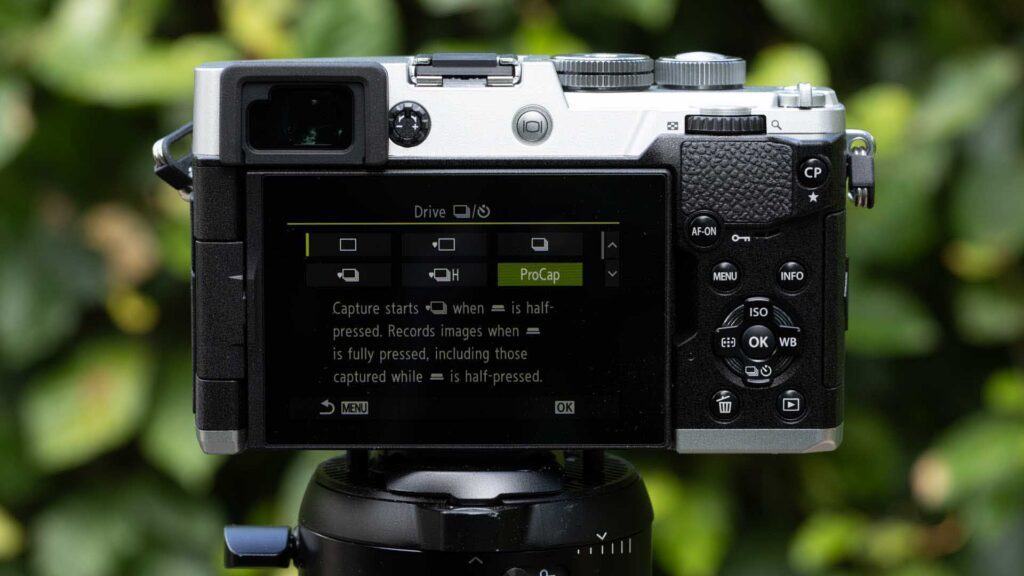
As on other Olympus and OM System cameras, the Multiple Exposure feature is a little less sophisticated than I would like. That’s because you can only combine two images in one multiple exposure. However, you can use a previously combined image as the starting point for another multiple exposure, which means you can build up a more complex result if you want. In many cases two images are enough anyway, but I would like more flexibility and control over the blend mode.
It’s 2026, so the video features haven’t been ignored. The colour and monochrome profiles can be used for video, except in Slow and Quick mode, and there are OM-Cinema1 and OM-Cinema2 looks designed specifically for moving footage. The Pen also supports vertical video and Slow and Quick shooting and has a tally light to indicate when recording is underway. The briefing information also confirms the presence of a microphone connection.
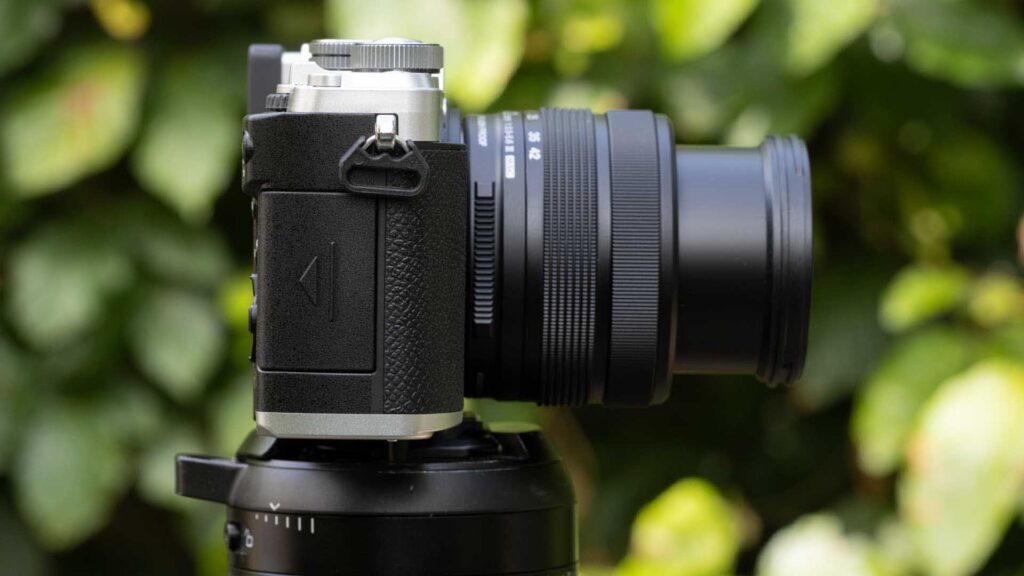
One glance at the OM System Pen makes the intention clear. This is a camera designed to have some of the appeal of an old rangefinder while still giving you a modern electronic viewfinder, an articulating screen and current digital controls.
Unlike the OM-3, which has controls on both sides of its top plate and a viewfinder in the centre, all the Pen’s top controls are on the right and the viewfinder sits towards the left side of the body as you hold it for use. Combined with the flat top plate, this creates the rangefinder look and also makes the camera seem a little less serious and imposing than a traditional SLR shaped model.
OM System describes the design as a mixture of straight lines and curved surfaces intended to provide both a clean appearance and a secure hold. It is also the first Pen camera with an IPX1 splashproof rating and a dustproof construction. The weather protection applies when the camera is paired with an appropriately protected lens.
At 393g the Pen feels reassuringly solid without becoming a burden. The metal construction is noticeable when you pick it up, but I’m told that the body is not made from magnesium alloy.
As a female photographer, I like compact cameras that don’t force me to make too many compromises. There is a difference between a camera being small for the sake of it and being small enough to integrate into everyday life. The Pen falls into the latter camp for me. With the new 14-42mm lens collapsed, it makes a neat combination that I am far more inclined to put in a bag on a normal day out.
Its rear control layout is quite close to the OM-3’s and OM-5 II’s. There is a group of four buttons for Menu, Info, delete and playback arranged around the navigation pad and central OK button. There are also CP and AF-ON controls, although the CP button has moved onto the thumb ridge on the Pen.
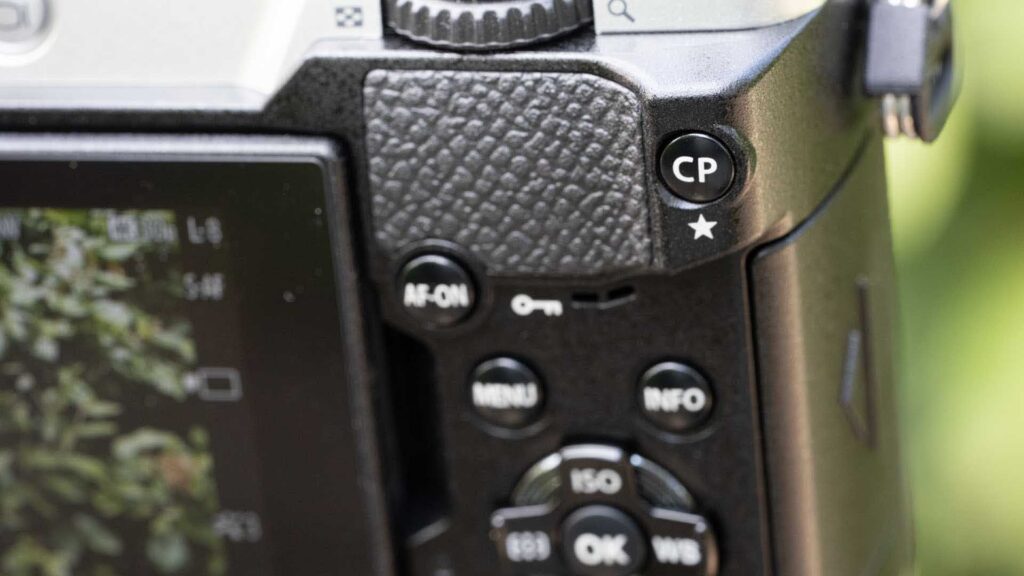
That works well. The CP button is easy to find and it makes sense to have it somewhere that is immediately accessible because the entire point of the control is to save you from menu diving.
The Pen doesn’t have the 1 and 2 switch seen on OM cameras higher up the pecking order. That means there is no option to use the switch to change the functions assigned to some of the camera controls. It isn’t a disaster, but it removes a degree of flexibility that some enjoy on other models.
My biggest handling complaint is the Pen’s power switch. It has three positions: Off, stills and video. In principle that sounds convenient because it gives video a direct position, but in practice I find it far too easy to flick the switch straight past stills and into video. I hoped that I would simply get used to it. Instead, I have learned to move the switch more cautiously and look at it while I turn the camera on.
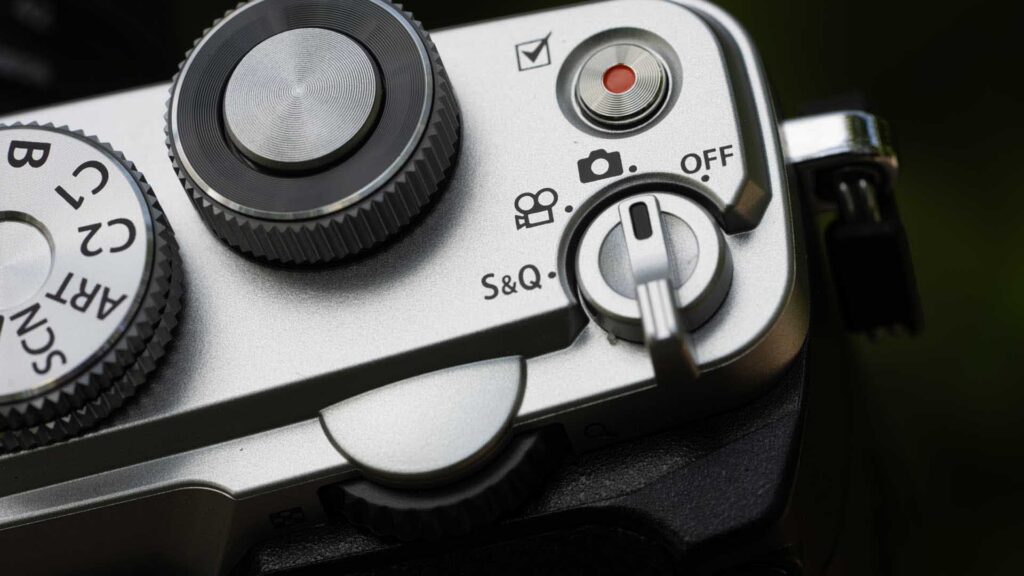
That might sound like a small point, but I’ve been using digital cameras since battery life was something you had to worry about constantly and I am an enthusiastic turner-offer. I switch a camera off between shots all the time. Having to consciously check that the switch has stopped at stills rather than video interrupts a habit that has been second nature for years.
It is also an interesting contrast with the otherwise very intuitive creative controls. The Profile Control and CP controls encourage quick reactions, while the power switch makes me slow down.
The Profile Control dial itself is easy enough to use, although I prefer the OM-3’s separation of Colour and Mono. Once I have created a colour look I like, I often want to be able to switch immediately to a contrasting black-and-white treatment. The OM-3 lets me do that more directly.
On the other hand, the Pen’s arrangement still succeeds in making these image styles far more visible than they would be if they were just entries in a menu. That matters. I am much more likely to experiment when a camera gives me a physical reminder that the options are there.
The electronic viewfinder is another important addition for a Pen series camera. Apart from helping with composition in bright light, it lets you see the effect of the colour and monochrome profiles while you shoot. That turns the creative controls into part of the shooting process rather than something you discover afterwards.
The viewfinder’s offset position also works nicely with the camera’s styling. Meanwhile, the articulating rear screen is useful when shooting from above or below normal eye level and is especially welcome on a small camera that encourages you to experiment with viewpoints.
I also like the fact that the body and new kit lens have both been designed with weather resistance in mind. Compact cameras often seem ideal for travel and days out until a shower arrives. The Pen’s weather sealing makes me more comfortable about carrying it on a walk or leaving it over my shoulder when the weather looks uncertain.
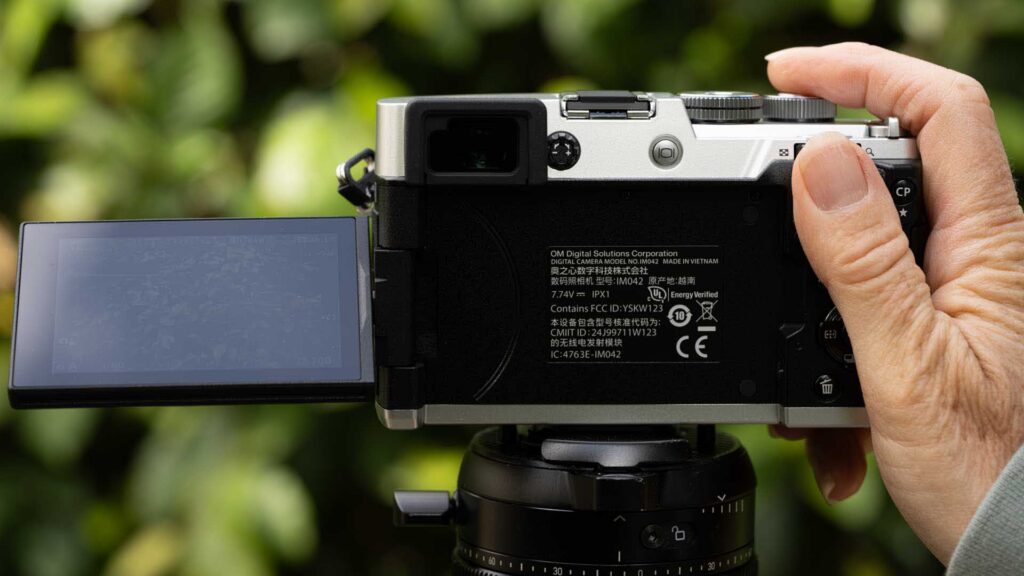
So far, I have mainly used the OM System Pen with the new M.Zuiko Digital 14-42mm F3.5-5.6 III and the combination works well for the kind of everyday photography the camera is intended to encourage.
The OM System Pen’s autofocusing is not lightning fast, but I find it nippy and decisive in most situations. It gets onto everyday subjects quickly enough that I haven’t felt I am waiting for the camera and it suits street scenes, travel, family photographs and casual wildlife encounters nicely.
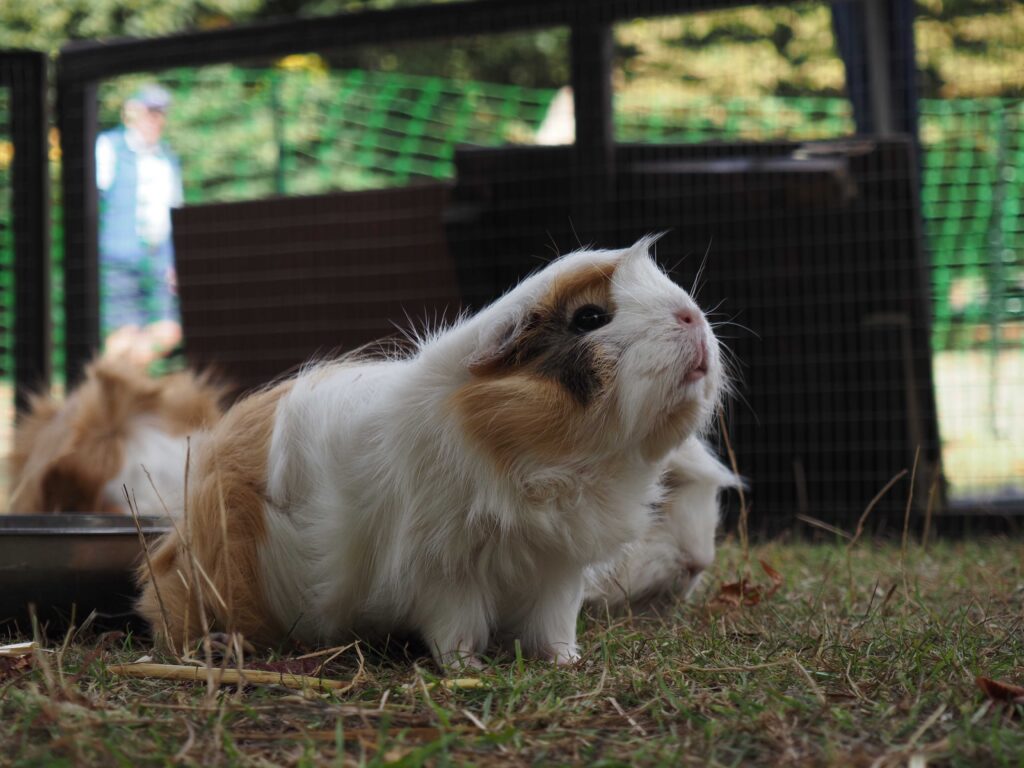
Officially, the Pen’s AI subject detection is designed for people, cats and dogs. In practice, the camera has been rather more ambitious during my time with it. I have seen it spot eyes in people, ducks, geese, goats, dogs and guinea pigs, which is a fairly random collection of subjects produced by my everyday photography.
I wouldn’t take that to mean OM System officially supports every species that happens to have visible eyes, but it is encouraging that the camera frequently recognises the important part of an animal even when it falls outside the named subject categories. That’s particularly useful with pets and smaller animals because they rarely pose in a cooperative way. If the camera can spot an eye while the subject is shifting position, it frees you to think more about the framing and moment rather than concentrating entirely on where the focus point is.
I haven’t yet been able to examine the OM System Pen’s raw files because Adobe Camera Raw doesn’t support them yet. Consequently, my image quality comments at this stage are based on the Jpegs.
Generally, the OM System Pen produces very good looking Jpegs. There is plenty of detail at the lower sensitivity settings and noise is handled well as the ISO value rises.
At this stage, I would aim to make ISO 6400 my normal upper setting. That said, I wouldn’t worry unduly about going higher if the light level demanded it. Above ISO 6400 you can see more noise and some fine detail is lost, particularly when you examine the images closely on a computer screen, but the files remain quite usable.
That is important with an everyday camera because there are plenty of occasions when getting the photograph matters more than keeping the sensitivity low. A family gathering, evening street scene or animal doing something fleeting is not going to wait while you find better light.
The 5-axis stabilisation should also help keep the ISO setting down when the subject is static. I was able to get shake-free images with 1-second exposures at the 21mm end (equivalent to 42mm) of the new kit lens. That’s in line with OM Systems claims.
Where the Pen is already proving particularly enjoyable is with its colour controls. As with the OM-3, I find that having dedicated access to the profiles changes the way I shoot. Rather than photographing everything with the intention of deciding on the colour treatment later, I start thinking about it while I am looking at the subject. A muted scene might make me reduce the saturation and add a little warmth. Strong graphic shapes might push me towards monochrome and higher contrast.
That makes photography more engaging. You are making more decisions before pressing the shutter rather than simply collecting data for later.
The ability to see those changes through the electronic viewfinder helps too. It allows the colour, contrast and monochrome treatment to become part of the composition. A subject that looks unremarkable in natural colour can suddenly make sense in black-and-white or with a restrained palette.
I can see the Profile Library becoming a useful extension of that. Being able to take a look that you have created, store it on your phone and write it back to one of the camera’s profile slots means you can build a small collection of styles rather than trying to remember every adjustment. OM Image Share will also allow profiles to be shared, which could make experimenting with other photographers’ ideas much easier.
The CP button has a similar influence. Features such as Live ND, Focus Stacking and High Res Shot have existed on OM System and Olympus cameras for some time, but making them more obvious increases the chances that they will actually get used.
Live ND, for example, is useful when you want to blur moving water without carrying a physical neutral density filter. Focus Stacking can be useful for flowers, fungi, details and other close subjects. High Res Shot provides another option when you are photographing something relatively static and want more resolution.
For a camera that is meant to come along on everyday outings, that versatility is attractive. The Pen may look simple, but there is a lot going on beneath the surface.



The OM System Pen feels like a sensible return of the Pen name. Rather than simply recreating an old model, OM System has taken the compact, everyday philosophy of the series and added some of the controls and computational photography ideas that make its current cameras interesting.
I particularly like the size, solid metal feel, electronic viewfinder and weather resistance. Together they make the Pen feel like a proper camera that happens to be small rather than a small camera that has been stripped of useful features. For women who want to carry a camera routinely, whether that is for travel, family photography, street photography, days out or simply recording everyday life, that is an appealing combination.
The creative side is just as significant. The Profile Control puts colour and monochrome treatment front and centre while the CP button makes features such as Live ND, High Res Shot, Focus Stacking, HDR and Multiple Exposure much easier to find.
I prefer the OM-3’s four position colour profile arrangement because it allows a faster move between colour and black-and-white. I also miss its 1 and 2 switch. My stronger criticism, however, is reserved for the Pen’s power control. The Off, stills and video arrangement is too easy to push straight into video and I still find myself looking down to make sure I have selected the right position.
Those issues have not stopped me enjoying the camera. The OM System Pen’s autofocusing is quick enough for the subjects I have encountered so far and the eye detection has proved surprisingly willing to recognise creatures outside the official people, cat and dog list. The Jpegs also look good, with noise controlled well enough that I am comfortable using ISO 6400 and prepared to go higher when necessary.
I need to inspect the raw files, test the image stabilisation more rigorously and spend longer with some of the computational modes before reaching a final conclusion, which is why the score remains TBC. At this stage, though, the OM System Pen is shaping up as a camera that combines portability with genuine creative control. More importantly, it makes me want to take it with me and use those controls, which is exactly what an everyday camera needs to do.